

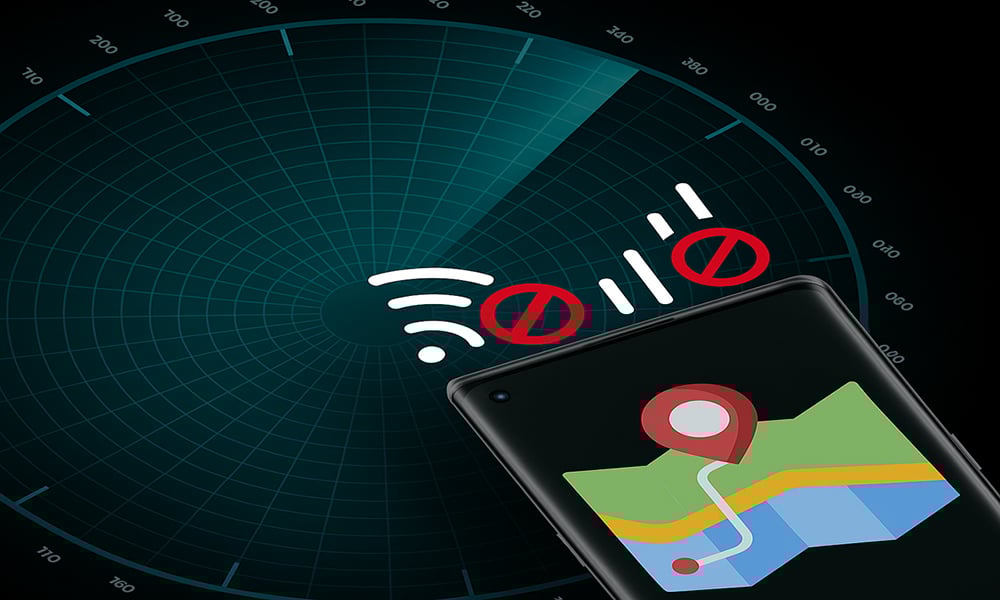
Your smartphone is one of the most incredible tools ever invented. It connects you to the world, captures your memories, and helps you with everyday tasks. But there’s a darker side most people don’t think about: it’s also one of the most efficient surveillance devices ever created.
Even when you’re not using it, your phone is quietly talking with cell towers, apps, advertisers, and sometimes even servers you’ve never heard of. Most of this happens automatically.
IMEI and SIM
Every smartphone comes with a unique ID called an IMEI (International Mobile Equipment Identity), which is your phone’s serial number.
Even if you swap SIM cards, your IMEI doesn’t change. That means mobile networks can still recognize your phone and even trace it back to you. Then there’s your SIM card, which your carrier uses to connect your phone number, name, and billing details to every call, text, or data session.
Put them together (IMEI + SIM), and you’ve got a unique personal identifier that follows you across networks and countries you’re travelling to.
For example, if your phone connects to a new Wi-Fi hotspot or a cell tower, the network sees your IMEI and can log your approximate location.
That’s how police can trace a person’s movements even if GPS is turned off.
GPS and Location Services
Your phone’s GPS chip can pinpoint your exact location within a few meters, but that’s just the beginning.

Even if you turn off GPS, your location can still be estimated using:
- Nearby Wi-Fi networks.
- Bluetooth beacons.
- Cell tower triangulation.
So when an app like Google Maps, Facebook, or even a weather app requests your location, it’s often using a combination of these methods.
And here’s the catch: some apps keep collecting this data quietly in the background, building a detailed map of your life where you sleep, work, shop, and hang out.
That’s why location permissions are some of the most sensitive settings on your phone.
Apps and Permissions
Many apps request far more access than they need. A flashlight app shouldn’t need your microphone or location, yet many do often to collect and sell behavioral data to advertisers.
Even “trusted” apps sometimes include third-party SDKs (software development kits) from analytics or ad companies, silently tracking your usage habits.
Free apps aren’t really free; you often pay with your data. Every permission you grant can become a data stream for someone else’s business model.
Your phone’s sensors like accelerometer, gyroscope, magnetometer, and proximity sensors, constantly feed information to apps to make things smoother.
For instance, movement data can reveal if you’re walking, driving, or typing. Even metadata like who you messaged and when can create a complete picture of your behavior, even if your messages are encrypted.
How to Minimize Smartphone Tracking
While it’s nearly impossible to make your smartphone completely anonymous, you can take meaningful steps to reduce how much data it leaks.
Start by reviewing your app permissions. Go to your device’s settings, open the permissions manager, and turn off anything that isn’t essential.
Many apps request access to your camera, microphone, or location for no legitimate reason. Your calculator, for example, doesn’t need to see or hear you. Limiting these permissions instantly cuts down on unnecessary data collection.
Next, consider switching to privacy-focused apps that respect your information. For secure messaging, apps like Signal, Session, or Element are solid choices. When browsing, tools such as Firefox Focus, DuckDuckGo, or the Brave browser help minimize online tracking.
And if you want your email to stay private, use providers like ProtonMail or Tutanota, which are designed with encryption and anonymity in mind.
Location data is one of the most sensitive forms of personal information, so disable location services whenever you don’t need them. Keep GPS turned off except for maps or navigation, and when possible, use approximate location rather than precise tracking.
Avoid linking all your activities to a single account. Relying on one Google or Apple ID for everything makes it easy for companies to build detailed profiles of your habits. Instead, separate your digital identities and create different email aliases for different services.
Use GrapheneOS
If you truly care about smartphone privacy, consider switching to a privacy-focused operating system like GrapheneOS.
GrapheneOS is a security-hardened, open-source Android-based operating system designed to maximize privacy without breaking usability.

Key Benefits:
- No Google tracking by default. You can install sandboxed Google Play if you want specific apps, but Google has no privileged access.
- Enhanced app sandboxing. Each app is isolated more strictly, reducing how much one app can learn about another.
- Network and sensor toggles. You can turn off network access or sensors per app.
The Privacy Setup
Let’s imagine you’re a journalist, activist, or just someone who values privacy.
Your setup might look like this:
- Use a secondary phone with GrapheneOS.
- Insert a prepaid SIM or none at all (Wi-Fi only).
- Run Signal for secure chat, ProtonMail for communication, and Brave for browsing.
- Disable all unnecessary sensors or GPS if you don’t need them.
To the outside world, it looks like any regular Android phone, but behind the scenes, it leaks almost no personal data.
Bottom Line
Your smartphone is like a loyal assistant, but one that sometimes reports on you behind your back.
But the good news is you don’t have to accept constant surveillance. Disable what you don’t use and choose privacy tools. Remember, privacy isn’t about hiding, it’s about deciding what to share and with whom.
Tags: ethical hacking, cybersecurity, penetration testing, web hacking, network security, wifi hacking, linux security, hacking basics.